CHAPTER 40 OF 54 · PERFORM AND RECORD
Key lock and Follow
The three engines share one key until you lock one. Key Lock keeps an engine in its own key when another engine or a pattern changes key. Follow moves an engine's notes through the chords another engine plays, so a held bass note, an arp or a pattern follows the progression. Both live in the engine sheet (Keyboard, key and scale).
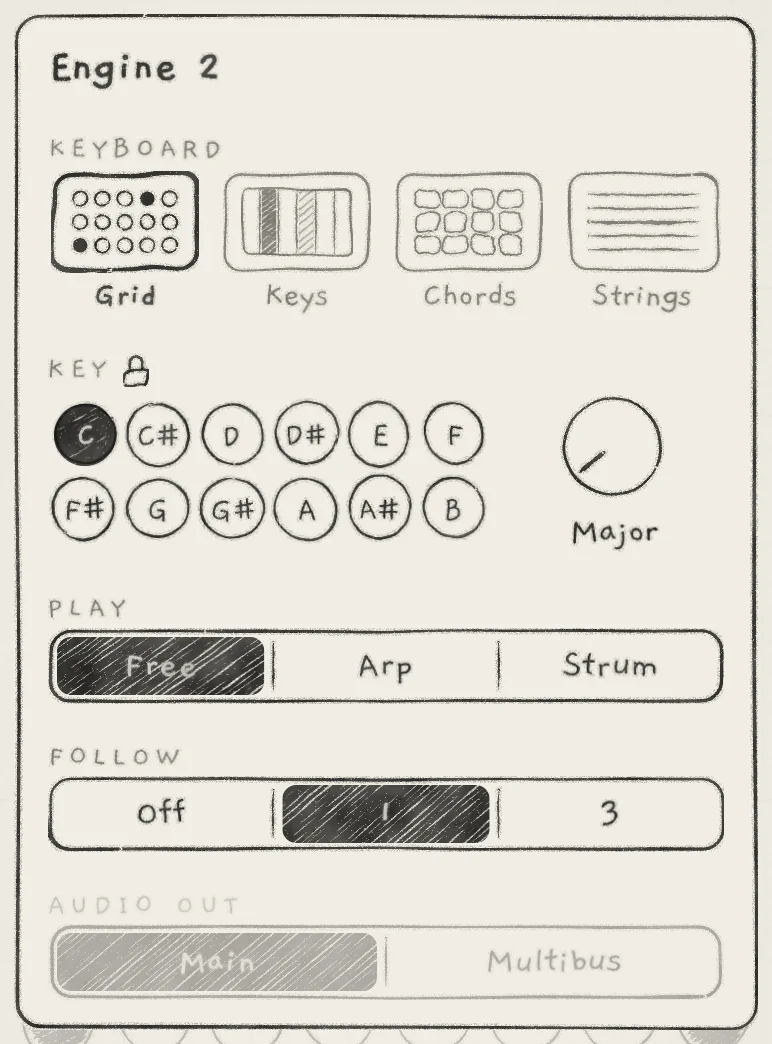 1234
1234- 1Lock
- 2FOLLOW
- 3Off
- 41, chosen
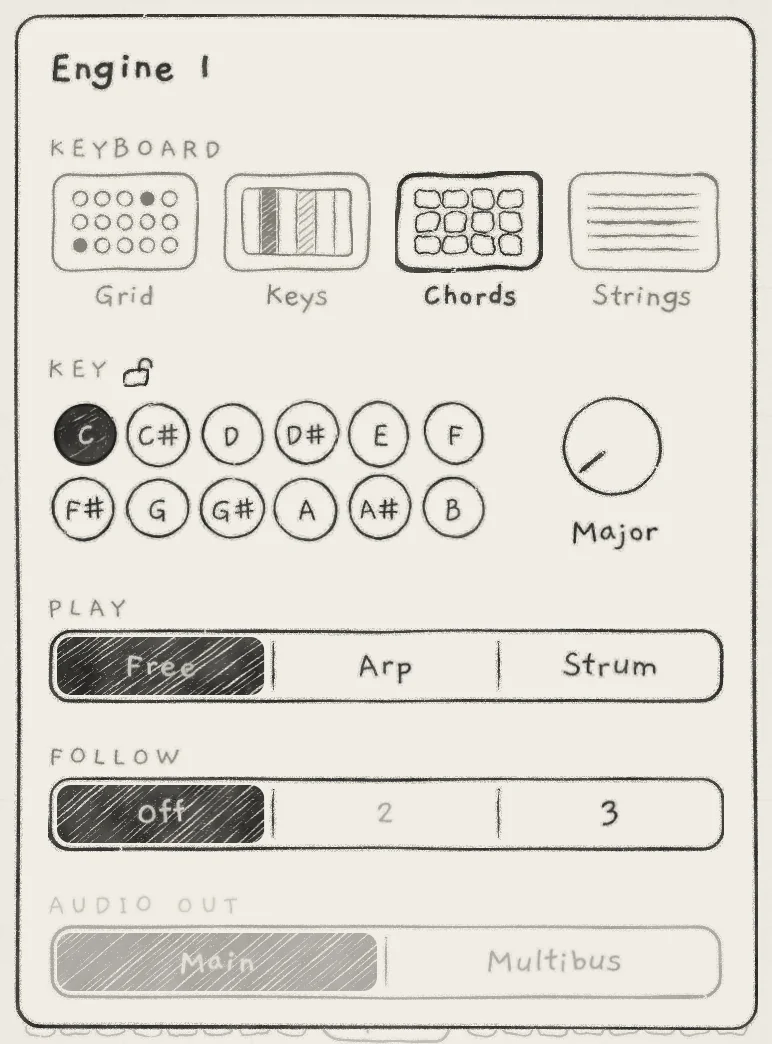 12
12- 1Chords
- 22, greyed
#Key Lock
The padlock right after the label KEY locks the engine's key. Tap it to close or open it. A closed lock is Key Lock: the engine keeps its key when another engine or a pattern changes key. Locking or unlocking changes no key.
A locked engine shows a closed padlock in front of its key in the top row and on the All page.
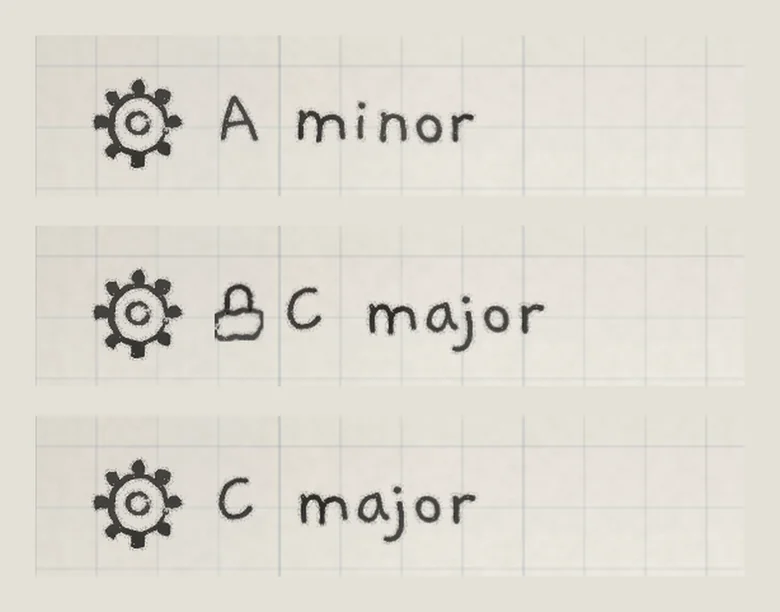 123
123- 1Engine 1, unlocked
- 2Engine 2, locked
- 3Engine 3, unlocked
#Lock rules
With no engine locked, every key change applies to all three engines. Once any engine is locked:
- A key change on a locked engine spreads to the unlocked engines.
- A key change on an unlocked engine stays on that engine.
- No other engine and no pattern changes a locked engine.
A key change always applies to the engine it is made on, locked or not.
#Keys carried by patterns
A saved pattern with notes carries the key it was saved in (Root and Scale) and its Stride and Degree (Edit and save patterns). An empty pattern carries none.
- Pattern on an unlocked engine: the engine takes the pattern's Root and Scale. With no engine locked, every other engine takes them too; with any engine locked, the change stays on this engine.
- Pattern on a locked engine: the engine keeps its Root and Scale. The pattern's Stride and Degree still play.
#Follow
Follow moves an engine's notes by the chord another engine plays on the Chords keyboard. The engine on Chords is the leader; an engine that follows it is a follower.
The FOLLOW row offers Off and the number of each other engine. Tap a number to follow that engine; Off plays the notes as played. A number is greyed and takes no taps when that engine already follows this one, directly or through the third engine, so no two engines follow each other. The row is greyed when there is no other engine to follow. A follower of an engine that is not on Chords plays its notes as played.
An engine on Chords can lead and follow at once: Engine 3 can follow Engine 2 while Engine 2 follows Engine 1 (A Chords follower).
#How the notes move
At each chord, the follower's notes move by the chord's distance from degree I, in scale steps. The move goes up or down, whichever is the smaller jump from where the follower stands, and never more than half the scale from where the notes were played (four steps on a seven-note scale). On a tie it goes the way nearer home. Every note moves by the same number of steps, so the follower keeps its shape in the scale.
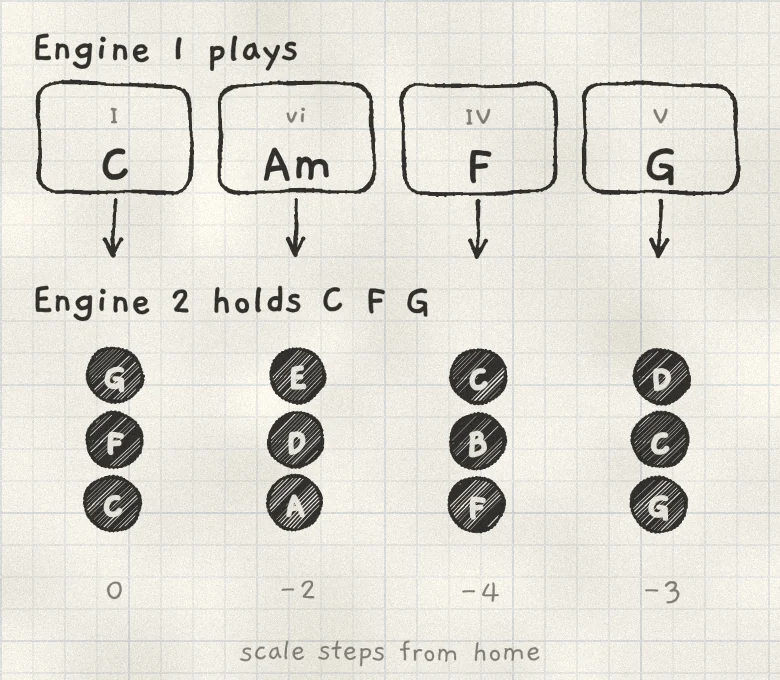 12345
12345- 1Chords on Engine 1
- 2C F G, 0
- 3A D E, −2
- 4F B C, −4
- 5G C D, −3
- Timing. The move is immediate. The follower's Glide applies to it (Oscillators).
- What counts. Only the leader's column, its scale degree. A different row, Spice, Voicing or Spread on the same column moves nothing (Play Chords, Chord colour).
- What moves. Notes played on the follower's Grid or Keys, latched notes, the arp over them and a playing pattern. The saved pattern does not change.
- After the chord. When the leader lifts, the follower stays at the last chord's position until the next chord.
- Back to played. Off, or the leader leaving the Chords keyboard, returns every note to where it was played.
The follower's Grid relabels its pads with the notes they now play.
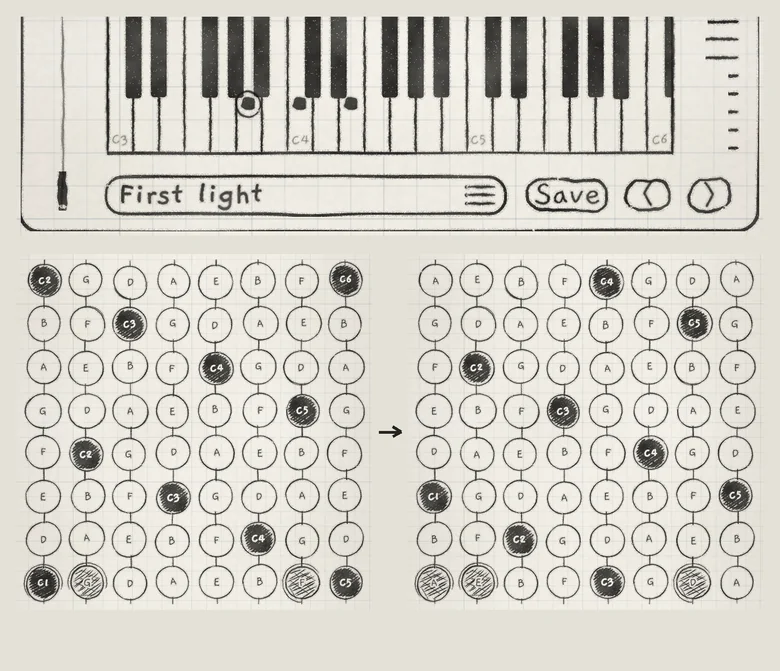 123
123- 1Am sounding on Engine 1
- 2Held notes, before
- 3Held notes, after
#A Chords follower
An engine on Chords that follows another Chords engine plays the leader's degree. Whichever column it holds or touches, it plays the chord on the leader's column, in its own row, with its own Voicing, Spread, Spice, Lean and Fill. Every tile on a row then names the same chord, the one it plays.
- A change. When the leader changes chord, a held follower chord changes as a slide to another tile does: each voice glides to the nearest note, new notes start and extra ones stop. On Strum it strikes again.
- No rubs. A colour tone of the follower that lies a semitone from a leader note takes the leader's note instead, or is left out if the chord already has it. The root, 3rd, 5th and 7th never change.
- Another scale. The follower plays its column whose root is the leader's chord root, or the nearest root below when its scale lacks that note.
- Before and after. Before the leader's first chord the follower plays its own tiles. Off, or the leader leaving Chords, returns a held chord to its own tile.
- MIDI. MIDI keys on the follower play the leader's degree, as touches do.
- Patterns. A chord pattern on the follower takes the leader's degree at each step and keeps its rhythm and voicing. A chord pattern playing on the leader leads its followers, as a hand on the tiles does.
#Followers on Strum and Strings
A follower on Strum with two or more notes sounding strums them again at each strike of the leader, the same chord included. A single note moves without a new strike (Strum).
A follower on the Strings keyboard plays the leader's chord itself instead of moving its own notes: every note the chord sounds, colour and Spice notes included, laid out across the strings (Play Strings).
#Follower scale and MIDI input
The follower moves in its own scale. A locked follower in another key moves by the same number of steps in that key's scale.
MIDI notes received by a Grid or Keys follower play as received (MIDI in); on a Chords follower they play the leader's degree.
#What is saved
Each engine's key, its lock and its Follow setting are saved with the project, not with the sound (Projects). The project also keeps the leader's last chord and where each follower stands, so a reopened project plays from there. A new project starts with one key on all engines, no locks and Follow Off.
- On Engine 1, open the engine sheet and tap Chords under KEYBOARD.
- Tap the 2 tab, tap Hold and play one low note on the Grid. In its engine sheet, tap 1 under FOLLOW.
- Tap the 3 tab. In its engine sheet, tap Arp under PLAY and 1 under FOLLOW. Tap Hold and play two or three upper notes.
- Tap the 1 tab and play chords.
- On Engine 2, tap Off under FOLLOW. Engine 2's note returns to the pitch it was played at while Engine 3's arp keeps moving with each chord.