USER GUIDE
From the first sound to MIDI and hosts: every surface, control and setting of INK.
Quick moves8 gestures


1Start here7 chapters
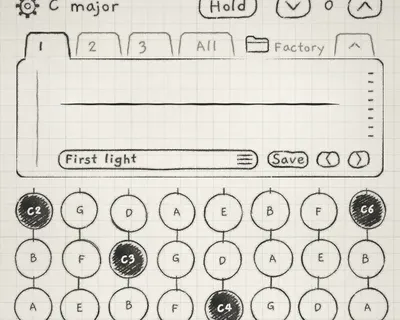
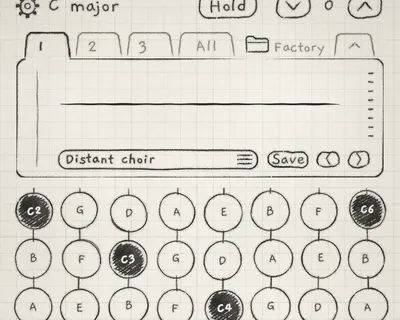 1First soundLoad a sound from the Library, play it on the Grid and from a MIDI keyboard, change it with its two macros, and find out why an engine makes no sound.
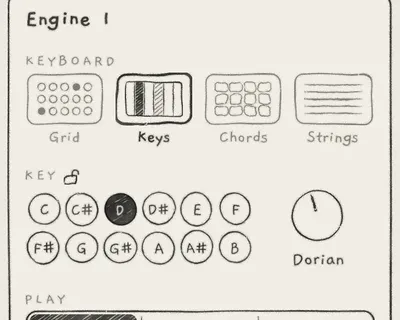 2Set up your playingChoose the keyboard each engine plays from, tune how your touch becomes pressure, set how a slide on Keys moves and where it lands, and know where these settings are kept.
 3Quick movesThe gestures and shortcuts you use every minute that the screen does not show: section jump, undo and redo, the saved value, fine knob moves, the Knobs handle, the engine sheet, Hold's re-touch and the chord piano.
 4First ten minutesShape notes with pressure, latch them with Hold, play them as an arpeggio, filter the sound, play two engines at once from the All page and save your changes as a new sound.
 5The three enginesKnow what INK is built from and where it comes from, follow a note from the keyboard to the output, see how modulation adds to a knob, and know what is saved with a sound, a pattern, a project or the app.
 6Find your wayRead the guide's conventions, move between engines and pages, set up an engine on its engine sheet, read the card, give the controls more of the screen, and turn knobs precisely by touch or on a Mac.
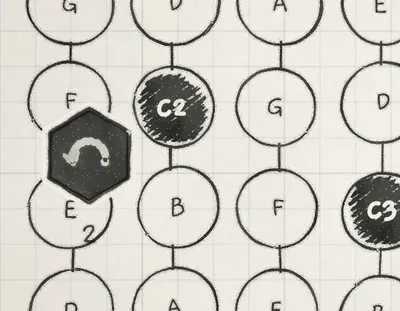 7Undo and redoUndo and redo any change to the instrument with an edge swipe or a three-finger swipe, know what one step brings back and what it leaves alone, and go back without losing the steps you undid.
2Play8 chapters
 8Keyboard, key and scaleChoose the surface each engine plays from, set the engine's key, know which notes each scale holds, tell the key's Root from the sound's Pitch, and shift the range with the Octave arrows.
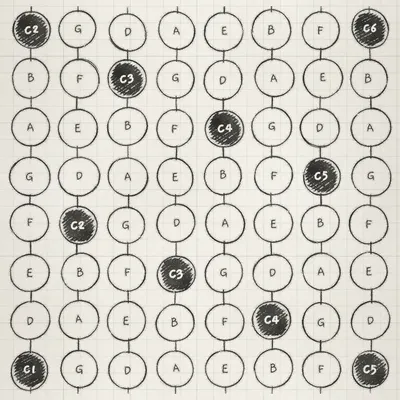 9Play the GridPlay the Grid, choose how its columns relate, bend notes between pads, read how touch sets each note's pressure, and latch notes so they keep sounding.
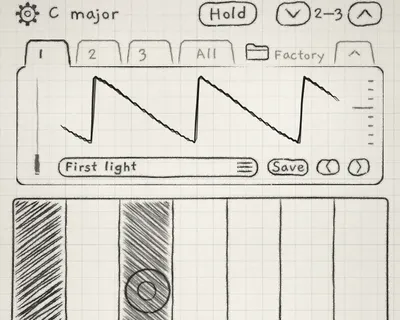 10Play KeysPlay Keys with slides, vibrato and pressure, read how finger position becomes pitch, know how each Slide control choice plays on the keys, and latch notes with Hold.
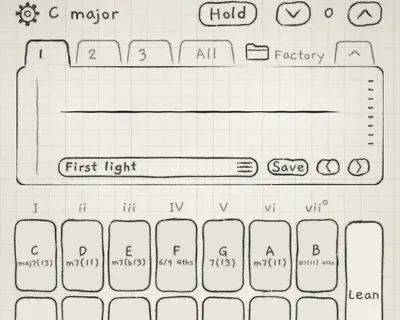 11Play ChordsPlay in-key chords from one touch, pick how rich each chord is by its row, change chords live with a slide or a second finger, latch them with Hold, and see their notes on the chord piano.
 12Chord colourSet the inversion, spacing and width of the chords you play, add 9ths, 11ths and 13ths to them, let pressure or an LFO vary the voicing at each strike, and know what a pattern keeps.
 13Lean and FillWalk chord changes voice by voice with Lean, play short phrases over the sounding chord with Fill, choose Fill's style, and keep Fill's phrases on the bar.
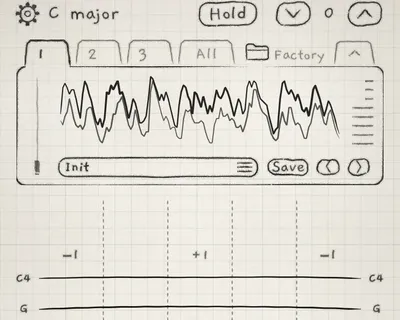 14Play StringsStrum and pluck a chord on eight strings, play it in three octaves across the width, shape each pluck by how fast you strum, damp and mute strings, and strum the chords another engine plays.
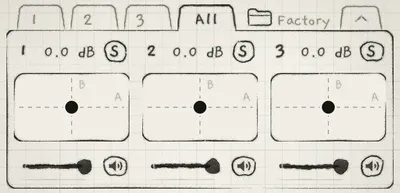
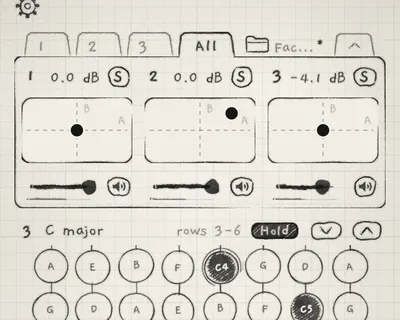 15Mixer and All pageBalance, mute and solo the three engines, play each engine's macros from one pad, play all three keyboards from one page, and set INK's overall output level.
3Shape the sound10 chapters
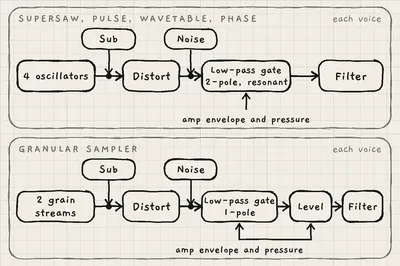 16OscillatorsChoose what each voice is made from, shape its tone, drive and noise, tune it and glide between notes, and use the low-pass gate that makes a note darker as it gets quieter.
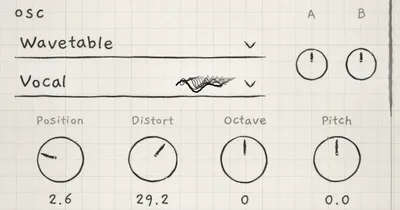 17WavetablesMove a sound through a table of waves, by hand or with modulation; pick, audition, rename and delete tables; and import your own tables, including Serum, Vital and Surge files.
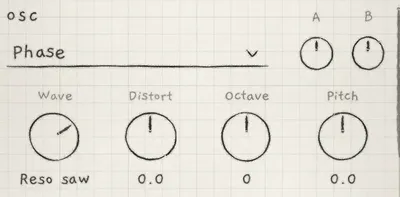 18PhaseShape a Phase sound with Wave and DCW, set oscillator B against A or ring-modulate them, and know why DCW stops brightening high notes.
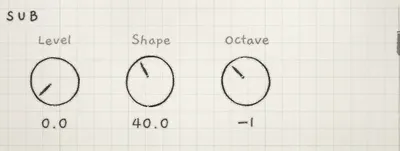 19Sub oscillatorAdd weight under an engine's lowest note with the Sub, shape it so it carries on small speakers, and know which note it follows and what shapes it after the oscillators.
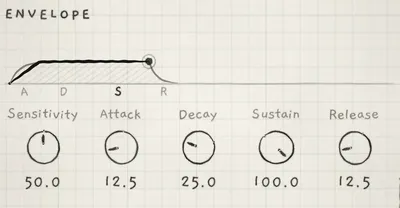 20Amp envelopeShape each note's level and brightness over time, set how much pressure it takes to open a note, and know how notes behave when they retrigger, slide, latch or ring out.
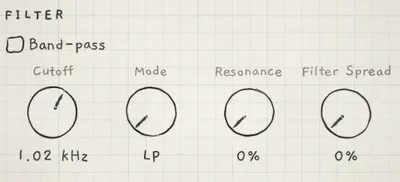 21FilterShape each note's tone with a multimode filter, sweep it from low-pass through notch to high-pass or switch it to band-pass, modulate it per note, and widen a sound by detuning its left and right filters.
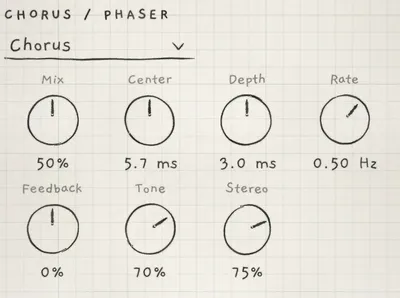 22Chorus and phaserAdd a stereo chorus or phaser to an engine, set its movement, colour and width, and play its amount from the Matrix.
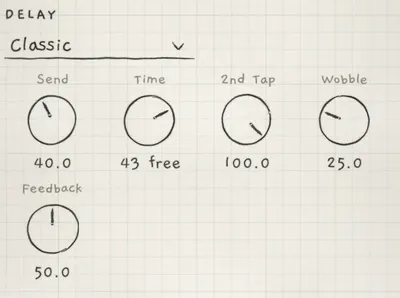 23DelayAdd echoes to an engine, choose how they sound, set their time freely or on the beat, offset the right side, and control how the repeats build and fade.
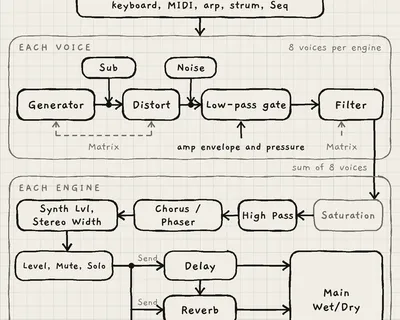 24Reverb and mixAdd reverb with an octave-up shimmer and a detuned tail, set how hard the engine feeds its effects and how much of them you hear, cut its low end and narrow its stereo image.
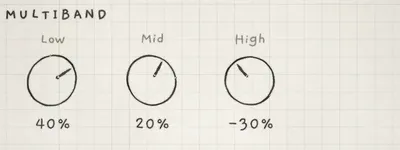 25MultibandMake an engine's lows, mids or highs denser and louder, or cut them, on the finished sound with its effects, and allow for the small delay this adds.
4Make it move4 chapters
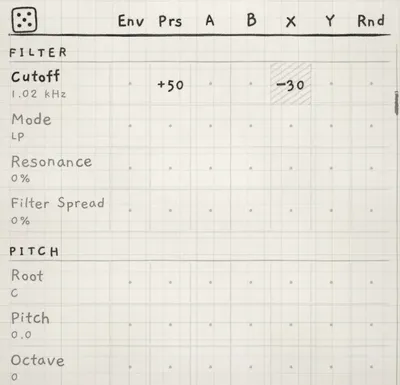 26Modulation matrixModulate any control from Envelope 2, pressure, the macros, the LFOs or a per-note random value, and know how amounts add up, where they clip and how a chord's voices share them.
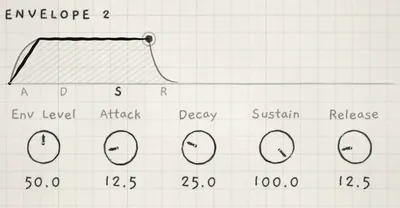 27Envelope 2 and RandomMove any destination over the course of each note with Envelope 2, build filter and timbre envelopes with it, and give every note its own random offsets with Rnd.
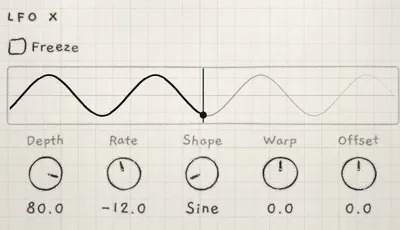 28LFOs and FreezeModulate any destination with LFO X and LFO Y, set the macros moving with Mod A and Mod B, use a sound's tempo-synced LFOs, and freeze an LFO so each note or phrase keeps one value.
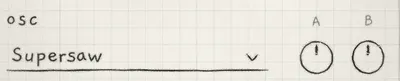 29Macros and diceMove several parameters with one control through Macro A and B, let a macro or another source steer an LFO, know which Matrix rows move in steps, and start a patch from a random Matrix with the dice.
5Your own samples3 chapters
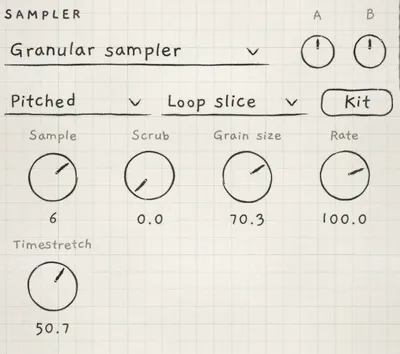 30Granular samplerPlay a kit's samples by slice or by pitch, set pitch and playback speed apart, freeze or reverse a sample, move through it with Scrub and add random movement to every grain.
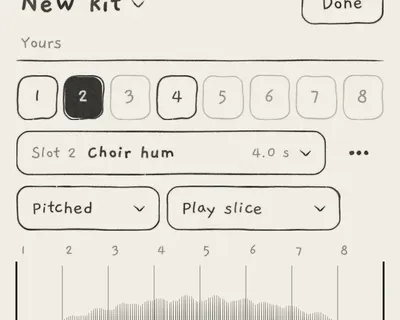 31Import and recordFill a kit's slots with your own audio, from audio and video files or from takes of the microphone, an audio interface, other apps or INK itself, and slice a take while you record it.
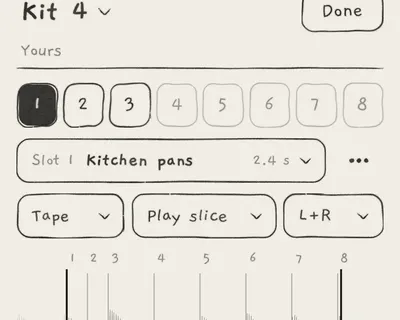 32Trim, slices and kitsCut your own samples to the part you want, set their level, place the slices and tune each slice's root, choose what each slot plays, and build or reset kits without changing sounds by accident.
6Perform and record8 chapters
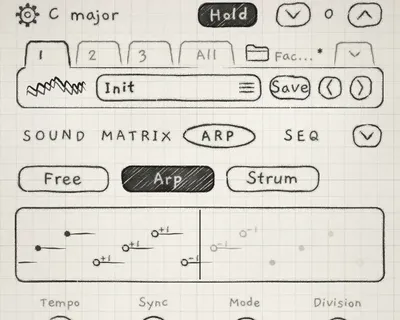 33ArpTurn the notes you hold into a repeating figure, choose the order they play in and how long each step lasts, repeat the figure in transposed passes, and read every note it plays as it plays.
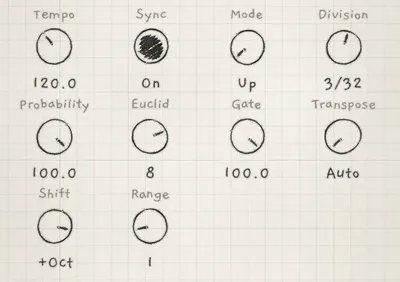 34Arp rhythm and tempoSet an engine's tempo and whether it follows the master clock, make the arp skip steps by chance or play a Euclidean rhythm, set how long its notes sound, and know which arp settings a sound brings with it.
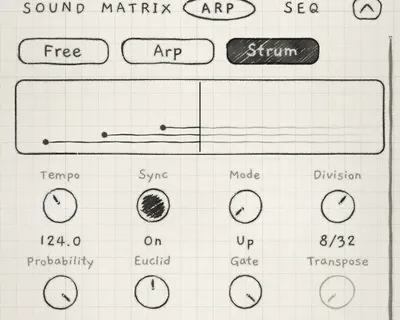 35StrumStrum a chord note by note in a set order and at a set speed, space its notes with a Euclidean rhythm, and play Strum from the Chords keyboard, as a follower, in patterns and from MIDI.
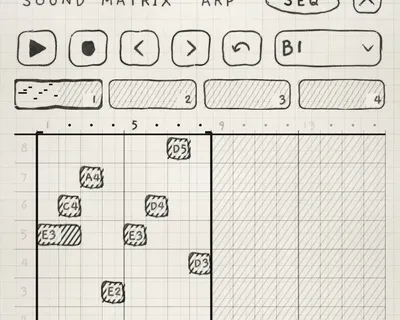 36Record patternsStart a pattern on an engine, enter notes into it step by step or while it plays, and move live takes toward the step grid with Quantize.
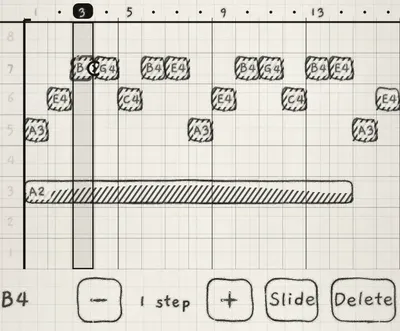 37Edit and save patternsMove, resize, slide and delete a pattern's notes, step back through your edits, save or discard them, and organise your banks, the factory patterns and patterns copied from another project.
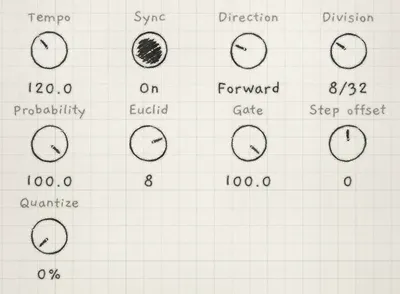 38Pattern playbackChoose which steps of a pattern play and in what order, set how long each step and its notes last, and turn the steps into random or evenly spread rhythms.
 39Clock and syncKeep the three engines in time with each other, a host or MIDI gear, bring engines and patterns in on the bar, send MIDI clock, and run loops of different lengths against each other.
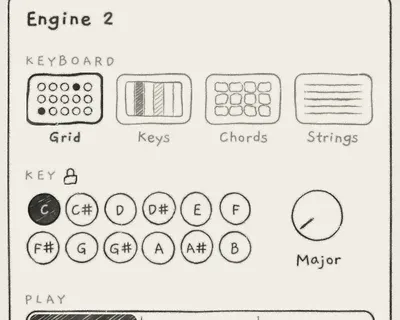 40Key lock and FollowKeep engines in separate keys or change them together, decide whether a pattern changes the key, and let one engine's notes move with the chords another engine plays.
7Library and projects3 chapters
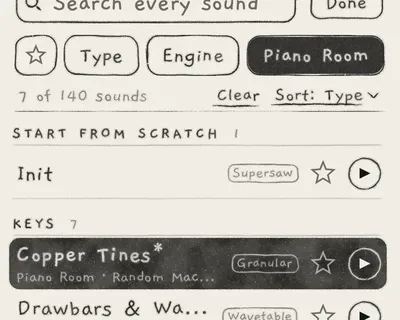 41Sound libraryFind a sound by search and filters, audition it without changing the engine's sound, choose what an audition plays, and star, delete or restore many sounds at once.
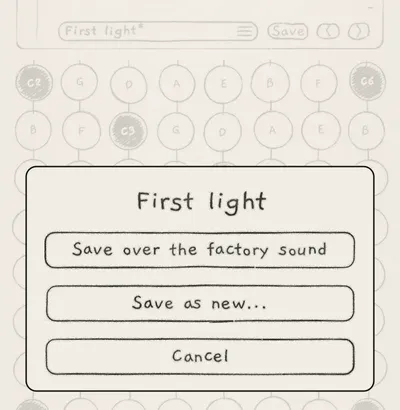 42Save and share soundsSave an edited sound over itself or as a named copy, keep or drop edits when you change sound, and move sounds with their kits and wavetables between devices as files, including a Plinky's presets and samples.
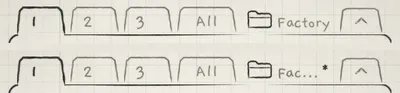 43ProjectsOpen, save and rename projects, leave one without losing unsaved work, know what a sound, a pattern, a project, the app and a host session each keep, and move projects between devices as files.
8MIDI and hosts4 chapters
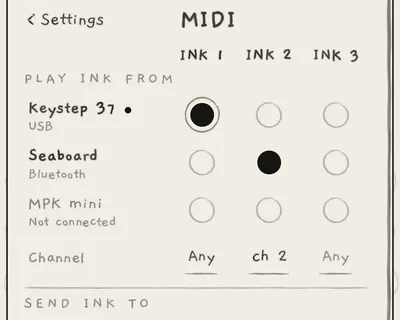 44MIDI inPlay each engine from MIDI controllers and other apps on one channel, every channel or an MPE zone, connect USB, Bluetooth and Wi-Fi devices, and play chords from a MIDI keyboard on a Chords engine.
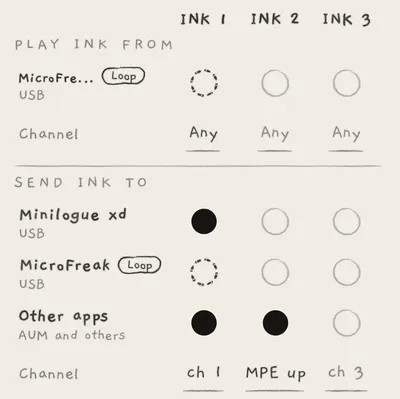 45MIDI outPlay other synths, apps and hosts from each engine, on a channel or an MPE zone, and know which notes and expression INK sends and when.
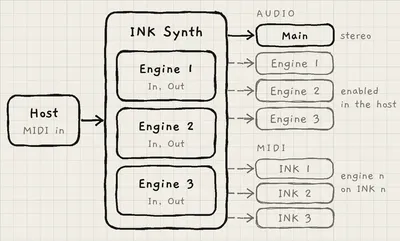 46INK in a hostLoad INK Synth in an AUv3 host, play its engines from the host's MIDI, give each engine its own mixer channel, automate macros and levels, follow the host's tempo and transport, and know what the host session keeps.
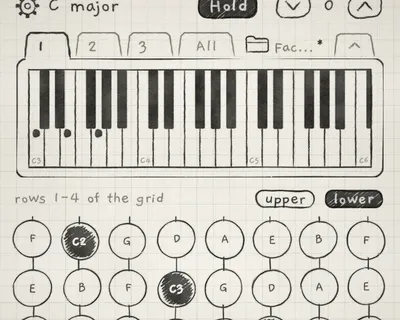 47INK MIDIPlay other instruments in an AUv3 host from INK's keyboards, arp and patterns, send them controller changes moved by INK's macros, LFOs and touch, and fit each output to the connection it feeds.
9Reference7 chapters
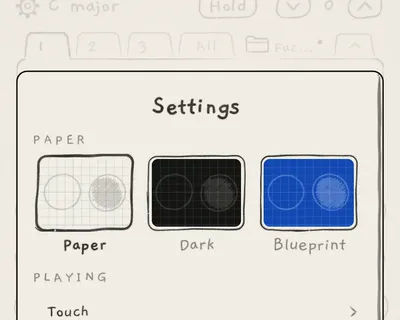 48Settings and background audioChoose the colour theme, find every Settings page and the chapter that explains it, tell which settings belong to the app and which to the project, and know what keeps INK playing after you leave the app.
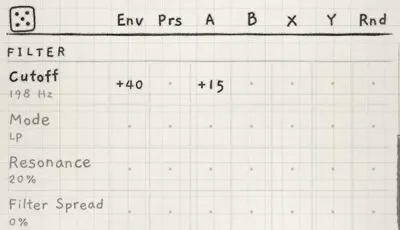 49Sound recipesBuild six sounds from knob readings and Matrix cells: a pulse bass with a filter envelope, a Supersaw pad that opens with pressure, a vocal wavetable lead on Keys, glass keys that vary from note to note, a granular atmosphere held at one read point per phrase, and a Phase bass with Sub and Multiband.
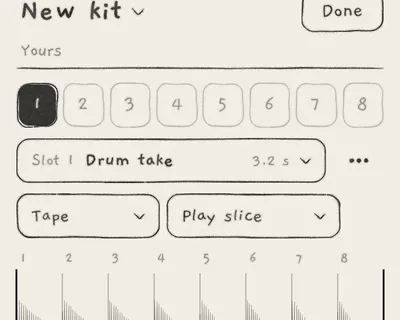 50Performance recipesSet up live performances from Init: slice a recording and reverse it with a macro, let one chord engine lead a bass and an arp, strum chords, play echoes that climb in octaves, bring in motion with one macro, and strum strings that follow a chord engine.
- 51TroubleshootingTrace a fault from its symptom to the control or setting that causes it, and fix it in that control's home.
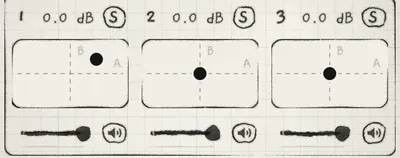 52MIDI implementationLook up what INK does with each MIDI message it receives and sends, map a controller's knobs to an engine's controls by CC, and play the controls that have no CC through Macro A and B.
- 53Parameter referenceLook up what any control does, its range, Init value, Matrix row, MIDI CC and where it is saved, and find the chapter that explains it in full.
- 54Quick referenceFind the control, gesture and page for a task, check INK's signal order and value lists, and tell apart the controls most often confused.