CHAPTER 4 OF 54 · START HERE
First ten minutes
A tour of the controls you use on every sound, in the order you meet them when you play. Each section links to the chapter that covers its controls in full.
Load a sustained sound on Engine 1 first, for example a Pad from the Library (First sound).
#1. Pressure
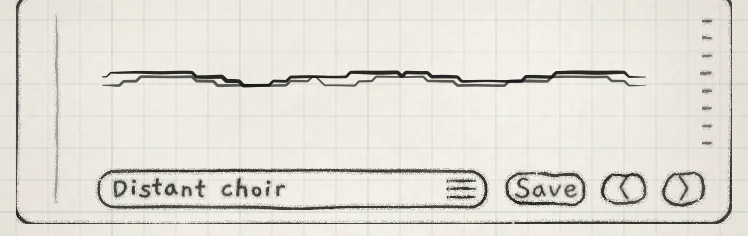
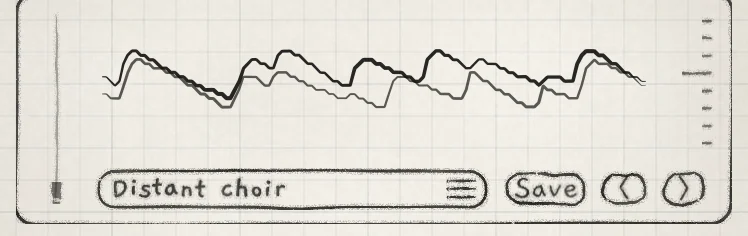
INK reads a continuous pressure value for every note. On iPhone and iPad it comes from the touch: the strike as the finger lands, then the contact area of the fingertip. Press harder or roll the finger flatter to raise it.
 1
1- 1Waveform display
 12
12- 1Level meter
- 2Waveform display
Pressure sets how far each note's amp envelope opens, and the amp envelope sets level and brightness together: a firmer touch is louder and brighter (Amp envelope). Each sound can send pressure to further destinations with Prs cells in the Matrix (Modulation matrix).
From MIDI, a note starts at its velocity, then follows the key's aftertouch or MPE Slide once they arrive. Settings › PLAYING › Touch sets how a touch becomes pressure (Set up your playing).
#2. Hold
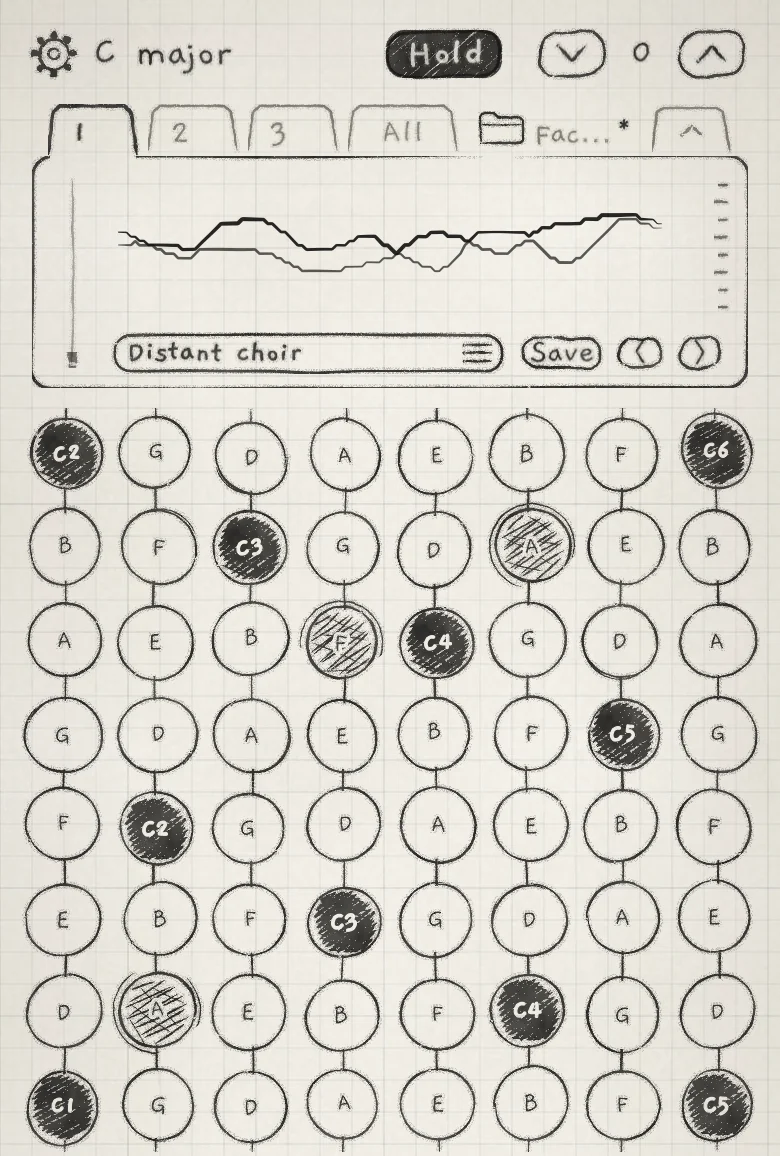
Hold, at the top of the engine page, latches notes so they keep sounding after the finger lifts. Each engine has its own.
 12
12- 1Hold
- 2Latched pad
Tap Hold, play three pads in different columns, and lift. On the Grid each column latches one note: a new press in a column replaces its latched note.
- Tap a latched pad quickly to release that note. Keep the finger on it to play its pressure live; it stays latched at the pressure you lift with.
- Tap Hold to switch it off. Latched notes keep sounding and Hold is drawn pale until they are released; new notes no longer latch.
- Double-tap Hold to switch it off and release every latched note of the engine.
Hold is saved with the sound. The full rules, and how Keys, Chords and Strings differ, are in Play the Grid.
#3. Arp
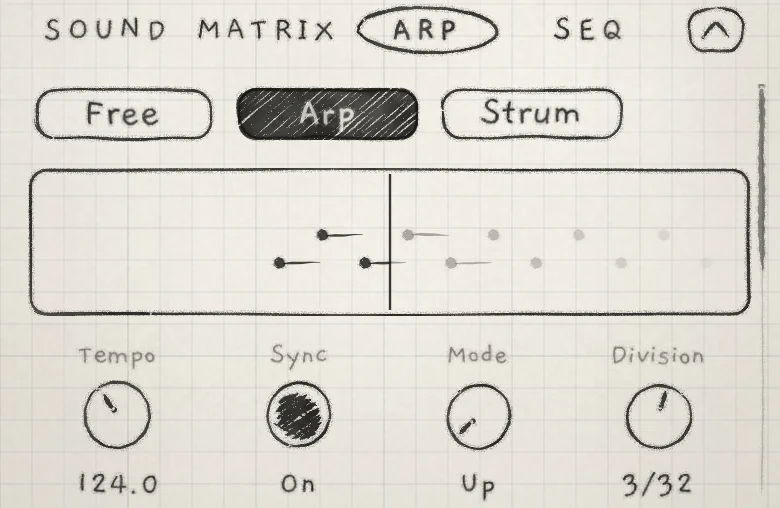
The Arp tab sets how the engine plays its notes. The switch at its top chooses between Free, which plays each note as you touch it; Arp, which plays the held and latched notes one at a time in a repeating sequence; and Strum, which plays notes started together once each, one after another.
 123
123- 1Free / Arp / Strum
- 2Trace
- 3Division
With notes latched, open the Arp tab and choose Arp. The notes repeat at the engine's tempo, and the strip under the switch, the trace, draws each note as it plays. Turn Division to change the step length.
The arp's controls are in Arp; Strum is in Strum.
#4. Cutoff and Resonance
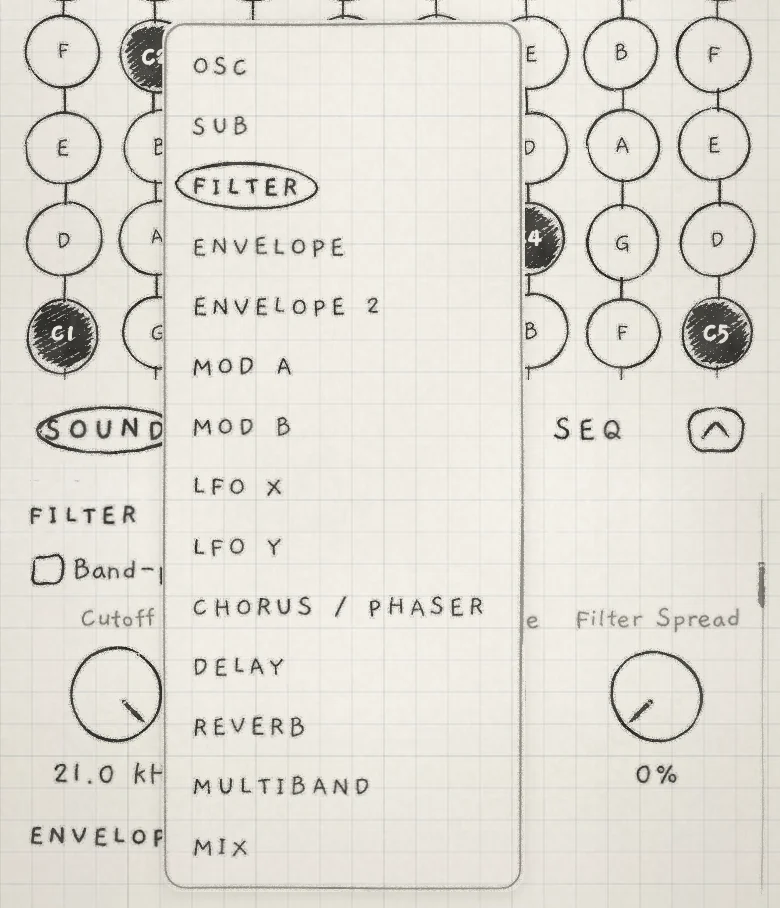
The Sound tab holds all of the sound's sections on one scrolling page. Tap any section title to open the list of sections, then tap FILTER to scroll there. The list holds only the sections of the sound's generator (Find your way).
 12
12- 1Section title
- 2FILTER in the list
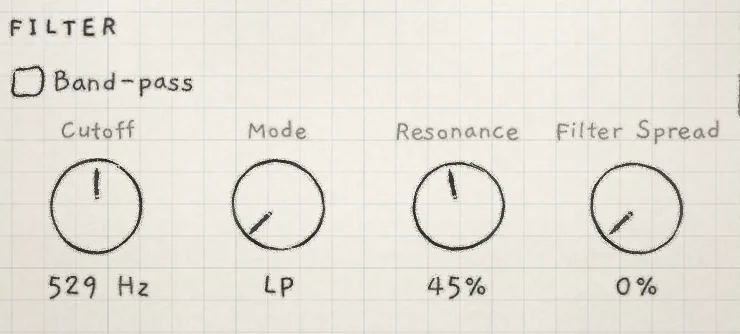
With Mode at LP, its Init setting, lowering Cutoff removes high frequencies. Resonance boosts the frequencies around the cutoff. The other FILTER controls are in Filter.
 12
12- 1Cutoff
- 2Resonance
#5. All page
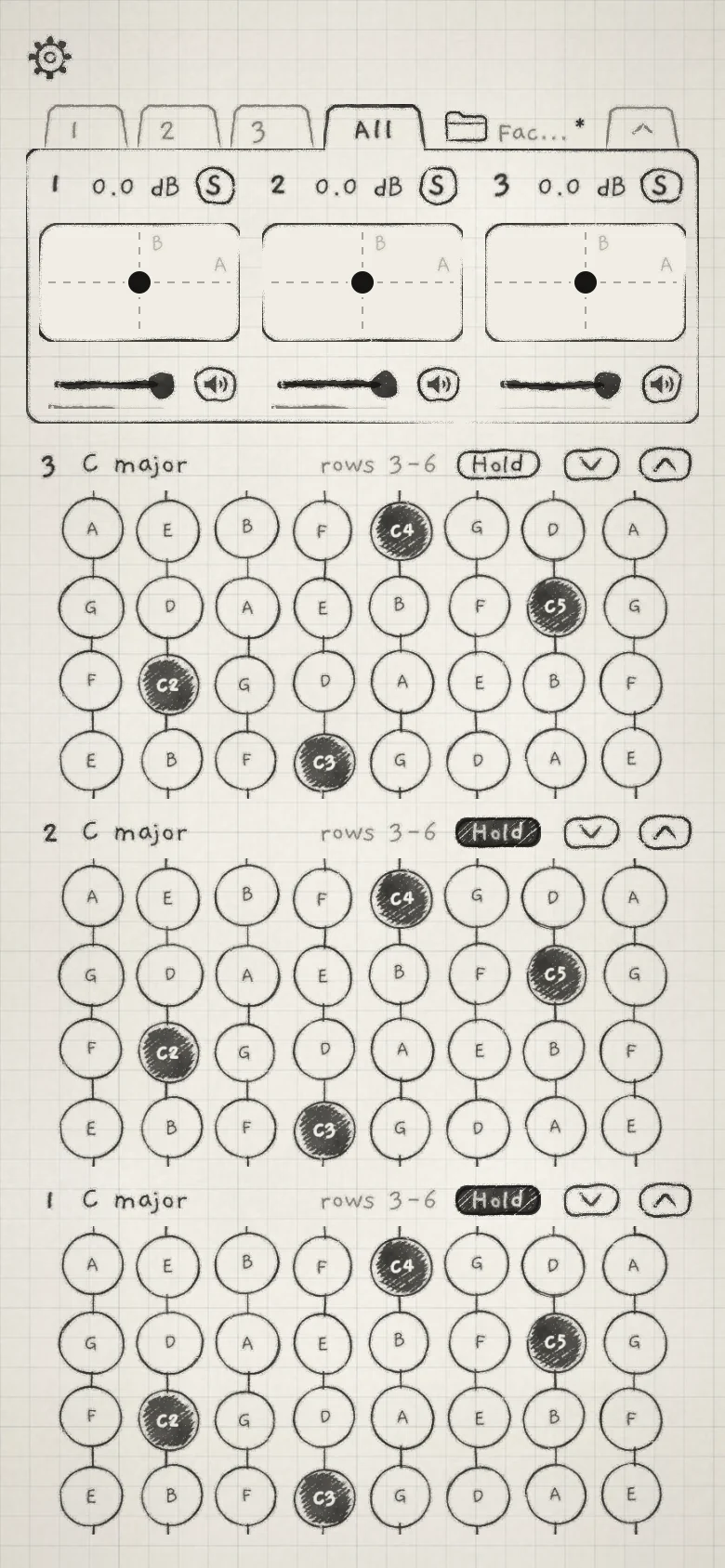
The All tab, after the engine tabs, shows the mixer and every engine's keyboard on one page. The mixer has one column per engine, Engine 1 on the left, with the engine's level fader, Mute (the speaker icon), Solo (S) and an XY pad that sets Macro A (across) and Macro B (up).
 1234
1234- 1XY pad (Macro A and B)
- 2Level fader
- 3Engine 3 band
- 4Engine 1 band
Below the mixer, each engine has its own keyboard band, Engine 3 at the top. A band's head shows the engine's number and key, its own Hold, and arrows that move the band's range; on a Grid band they slide it through the Grid's rows.
Tap tab 2, load a Bass sound, and return to All. Play the Engine 1 band with one hand and the Engine 2 band with the other. The page is covered in Mixer and All page.
#6. Save
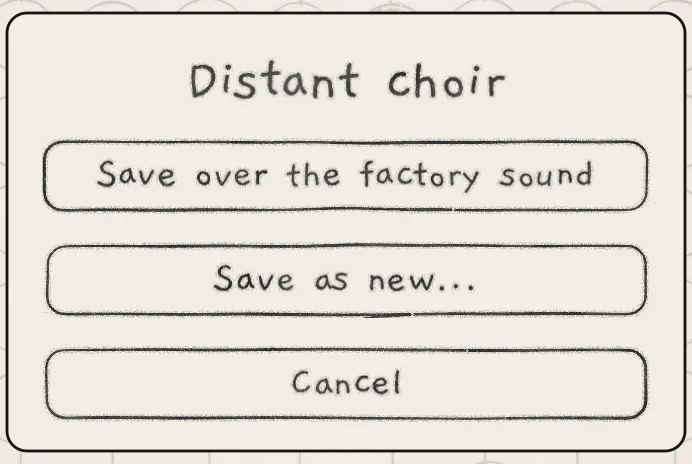
An asterisk after the sound name on the card marks unsaved edits. Tap Save on the card to open the Save sheet.
 123
123- 1Save over the factory sound
- 2Save as new...
- 3Cancel
- Save replaces the saved sound with what plays now. On a factory sound you have not saved over, it reads Save over the factory sound.
- Save as new... keeps the original and stores a new sound. Enter a name of up to 40 characters, keep or change the category, and tap Save.
The other choices on the sheet, and what happens when you leave a sound with unsaved edits, are in Save and share sounds.
A sound holds one engine's settings. A project holds all three engines with their sounds and patterns (Projects).
- Play a pad and press harder, then roll the finger flatter.
- Tap Hold and latch three pads in different columns.
- Open the Arp tab, choose Arp and turn Division.
- On the Sound tab, go to FILTER, lower Cutoff and raise Resonance.
- Double-tap Hold to release the notes.
- Tap Save, choose Save as new..., name the sound and tap Save.